


1, battery version:
Lithium battery version, it includes 1pc rechargeable lithium battery, it can use slow charger to charge it, can not use fast charge,it also can charge by usb cable
2, how to turn on the backlight?
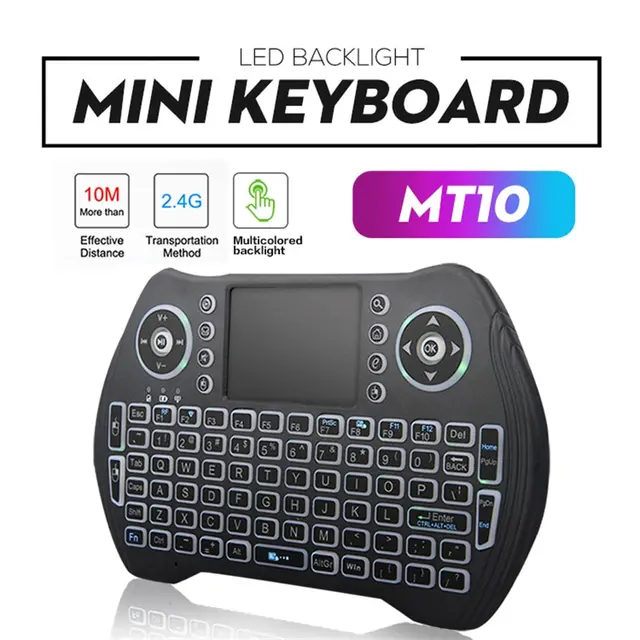
each backlit keyboard has 7 types backlit.
a,”Fn”+”F2″ to open 3 types backlit
b, “FN”+”F2” open backlit model,and then press “Fn”, swipe left and right with your fingers Touch the lower part of the touchpad, it can switch 7 types backlit.
3,how can i change the language?
answer: you need to set your device's(smart tv/android box,ect) physical keyboard match with the keyboard that you buy.
for eample h96 max android box:
firstly, connect usb receiver to the h96 max,turn on keyboard
Secondly, clink settings-Device preferences—more settings—System—Languages & input—Physical keyboard—2.4G Composite Device—SET UP KEYBOARD LAYOUTS—russian/french/spanish/Portuguese/English
PS:Frenchcustomsers can installAZERTY.appto your device directly on web or goolge play.
4,how to repair the USB receiver?
Answer: insert usb to computer usb port, The distance between the USB receiver and the keyboard cannot exceed 1 cm,pressing FN+F1 3 seconds.the yellow light not flash means connected.
5,How to adjust the cursor speed ?
Answer: Pressing FN+Speace to speed up and down.














Reviews
There are no reviews yet.